How to set up the LiveSplit autosplitter (Windows only)
Updated by NERS
- Open your splits, right click and go to "Edit Splits..."
- Insert "Deltarune" or "Deltarune Category Extensions" (without the quotes, casing doesn't matter) as the game name
- You should now have access to the autosplitter and be able to activate it

- To use and configure the autosplitter, just click Settings and enable the locations you want the autosplitter to split on.
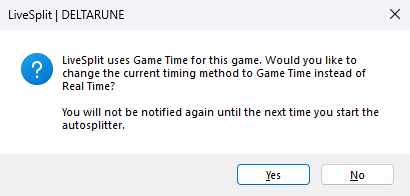
- If you enable the All Chapters timer pause, you will have to compare to Game Time, otherwise it will not work. You will get a pop-up when you open the game to help.
Challenges

Ended
Prize pool
$500.00
Leaderbord Embargo Begins and Discord Server Spoiler
Hi everyone,
The leaderboard will undergo a temporary embargo, and the Discord server will temporarily be spoiler contained. More details on the Discord server has been posted on the most recent announcement.
Please do not submit runs to the lea

Recent runs