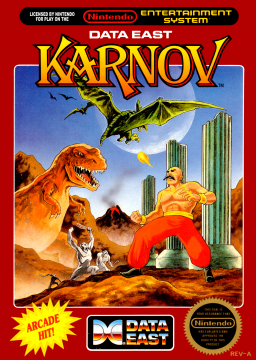


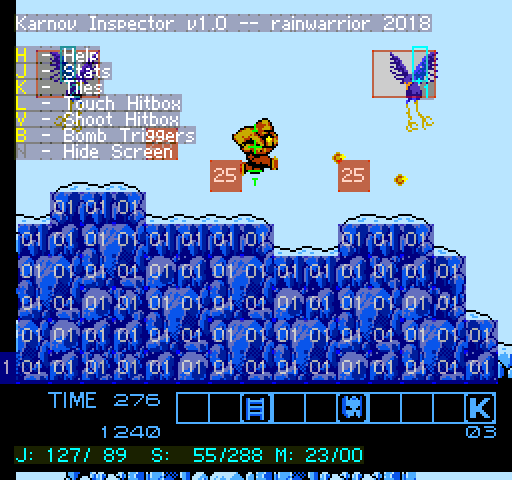
I have made for you the Karnov Inspector! It's a Lua script that you can use with FCEUX, Bizhawk, or Mesen.
.
Download: https://gist.github.com/bbbradsmith/46e53f67f681814337001445539995ad
.
.
H - Help - Toggles the help display. S - Stats - Your screen coordinates, scrolling, and map coordinaes at the bottom. K - Tiles - All the level tiles: collision, hidden item triggers, spawn triggers, etc. L - Touch Hitbox - All the hitboxes that you can touch. V - Shoot Hitbox - All the hitboxes that you can shoot, plus enemy health. B - Bomb Triggers - All the places you can use a bomb. N - Hide Screen - Blanks the image to view only the inspector overlays.
.
This should work with most versions of FCEUX, but I recommend the "interim" build available here, which will display the overlaid colours a little better:
http://www.fceux.com/web/download.html
.
To run this, open Karnov in FCEUX then go to: File > Lua > New Lua Script Window > Browse...
I now consider this complete with version 1.0 being released. I have amended the initial post with all the details. I don't plan any further additions, but let me know if there's something I've missed, or if you have any comments at all, really. Enjoy!


I've done some search & replace'ing to make Karnov Inspector work on Mesen 2.1.1. Is it ok with you if I post it here?
I feel silly now, because I just realized the only thing that needed replacing was the memory read function.
from (Mesen 1)
function memory_readbyte(a)
    return emu.read(a,emu.memType.cpu)
end
to (Mesen 2)
function memory_readbyte(a)
	return emu.read(a,emu.memType.nesMemory)
end