
1.) Setup Livesplit: https://livesplit.org/downloads/
2.) Right click anywhere in Livesplit and choose Open Splits -> From File...

3.) Open the splits generator found in the Resources tab of this site and generate your required splits (for the lazy: click). Here is another guide on how to use it.
4.) Right click anywhere in Livesplit and choose Edit Splits

5.) Underneath the Attempts box ensure that the Activate button is clicked.
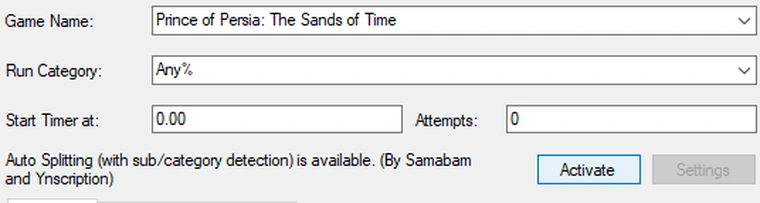
6.) Enjoy. The script auto-starts, auto-splits, gives the relevant settings for each game, and works regardless of the order in which you play the games.
Side Notes: The name of each split is unimportant. If making your own splits, you need to ensure you have the number of splits according to the settings you have selected. If you discover a bug please notify me (gmp_) on Discord so we can fix it.